
For parents
Make practice feel like play
Turn your child's homework, worksheet, spelling list, or study topic into an interactive browser game in under a minute.
No app download · No child email required · Works in the browser
Stop searching for activities that almost match
Most learning apps offer generic material. Lesson Worlds lets you create a game using what your child is actually learning at school today.
- Make homework and review more engaging
- Match practice to current lessons
- Support different interests and learning preferences
- Reuse difficult questions in multiple game formats
Product proof
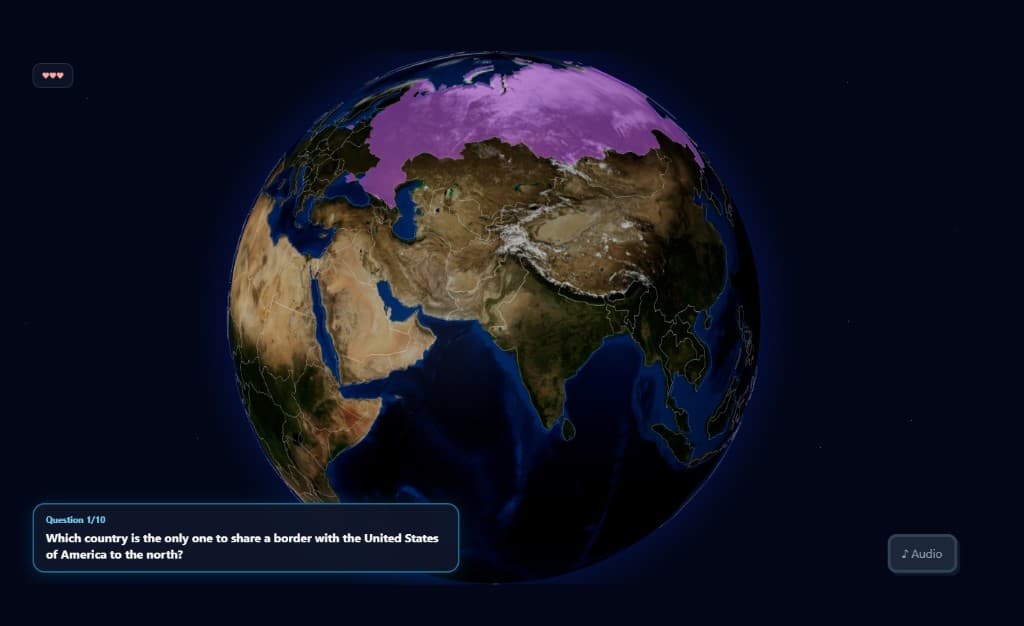
From learning material to playable world in under a minute
- 1
Add what they are learning
Paste text, upload a worksheet or lesson, or enter a topic.
- 2
Choose a game world
Select the type of world or game experience that fits the learner.
- 3
Share and play
Send one browser link to a child, small group, or entire class.
Common questions
- What ages and grades is Lesson Worlds for?
- Premade Play Now challenges cover grades 1–12. When you create a custom game, you choose the grade band and subject that fits your child.
- What subjects can I use?
- Math, English, geography, history, and more — paste a worksheet or enter a topic and Lesson Worlds drafts questions you can edit before sharing.
- Do I need to create every question myself?
- No. Paste homework or a worksheet and we extract questions, or pick a subject and topic and we draft a starting set you can tweak.
- Does my child need an account?
- No. Learners open your play link in the browser and choose a display name — no child email or signup required.
- Will it work on a phone or tablet?
- Yes. Games run in the browser on phones, tablets, and laptops — no app download.
- Is my child's data private?
- We don't sell homework content or build ad profiles. You sign in with email only when you publish a game link.
- Can I cancel at any time?
- Educator subscriptions can be managed from your account billing page. Family billing is not live yet.